OpenFileDialog : 파일을 불러오기 위한 class
- 속성
- FileName : OpenFileDialog을 부를 때 기본값으로 설정할 파일 이름
- InitialDirectory : OpenFileDialog을 부를 때 기본값으로 설정할 폴더경로
- Filter : 파일을 불러올 때 지정한 파일 확장자만 불러오기 위한 속성
지정 방식 : 필터설명|필터 옵션
ex) (*.JPG)|*.JPG - Title : OpenFileDialog을 부를 때 창 왼쪽 상단의 타이틀
SaveFileDialog : 파일을 저장하기 위한 class
- 속성은 OpenFileDialog와 거의 같다.
<예제>
using System;
using System.Windows.Forms;

namespace Test
{
    public partial class Form1 : Form
    {
        public Form1()
        {
            InitializeComponent();
        }

        private void Btn_ImageLoad_Click(object sender, EventArgs e)
        {
            using (OpenFileDialog openFile = new OpenFileDialog())
            {
                openFile.Title = "이미지 불러오기";
                openFile.Filter = "(*.bmp)|*.bmp";
                if (openFile.ShowDialog() == DialogResult.OK)
                {
                    pictureBox1.Load(openFile.FileName);
                    pictureBox1.SizeMode = PictureBoxSizeMode.Zoom;
                    MessageBox.Show("이미지를 불러왔습니다.", "Complete", MessageBoxButtons.OK, MessageBoxIcon.Information);
                }
            }
        }

        private void Btn_ImageSave_Click(object sender, EventArgs e)
        {
            if (pictureBox1.Image != null)
            {
                using (SaveFileDialog saveFile = new SaveFileDialog())
                {
                    saveFile.Title = "이미지 저장하기";
                    saveFile.Filter = "(*.bmp)|*.bmp";
                    if (saveFile.ShowDialog() == DialogResult.OK)
                    {
                        string fileName = saveFile.FileName;
                        pictureBox1.Image.Save(fileName);
                        MessageBox.Show("이미지를 저장했습니다.", "Complete", MessageBoxButtons.OK, MessageBoxIcon.Information);
                    }
                }

            }
        }
    }
}
Btn_ImageLoad버튼을 누르면 OpenFileDialog 클래스가 호출된다.
Btn_ImageSave버튼을 누르면 SaveFileDialog 클래스가 호출된다.
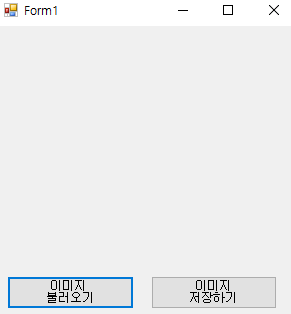
Form의 초기화면, 여기서 [이미지 불러오기] 버튼을 누르면

이렇게 이미지를 불러오기 위한 창이 팝업된다.

이미지를 선택하고 [열기] 버튼을 누르면 pictureBox에 이미지가 로드된다.
이제 [이미지 저장하기] 버튼을 누르면,

이렇게 이미지를 저장하기 위한 창이 팝업된다.
바탕화면에 파일 이름을 dog로 지정하고 저장 버튼을 누르면,

바탕화면에 이미지가 저장되었다.
'IT > C# Windows Form(.NET Framework)' 카테고리의 다른 글
| ZedGraph를 이용한 시간별 Value 측정(2) (0) | 2025.01.24 |
|---|---|
| ZedGraph를 사용한 시간별 Value 측정(1) (0) | 2025.01.23 |
| PictureBox (0) | 2025.01.16 |
| UserControl(사용자 정의 컨트롤) (0) | 2025.01.16 |
| DLL(Dynamic Link Library) (1) | 2025.01.16 |